SF Muni
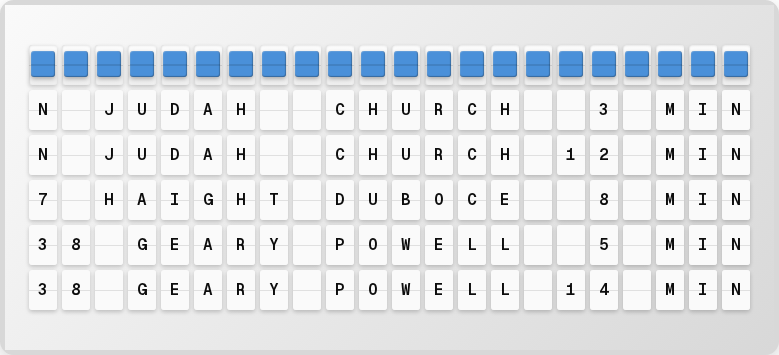
Display real-time San Francisco Muni transit arrival predictions with multi-stop and multi-line support.
Overview
The SF Muni plugin provides:
- Real-time arrival predictions for any Muni stop
- Monitor up to 4 stops simultaneously
- Line filtering and delay detection
Setup
1. Get an API Key
- Go to 511.org/open-data/token
- Register for a free API key
2. Enable in the Web UI
- Open http://localhost:4420
- Go to the Integrations page
- Toggle SF Muni on
- Enter your 511.org API key
- Use the stop picker to select your stops
- Click Save Changes
Available Variables
| Variable | Description | Example |
|---|---|---|
{muni.formatted} | Formatted arrivals display | N JUDAH 3 MIN |
{muni.stop_name} | Stop name | CHURCH + DUBOCE |
{muni.line} | Transit line | N JUDAH |
{muni.stop_count} | Number of monitored stops | 2 |
{muni.is_delayed} | Whether service is delayed | false |
Next Steps
- Bay Wheels Plugin -- Add bike share data
- Traffic Plugin -- Add commute times
- Plugins Overview -- See all available plugins