Silence Schedule
The silence schedule feature lets you set quiet hours for your board, preventing any updates during specified time periods. This is useful for nighttime hours or any time you don't want the board making noise.
Overview
Split-flap displays can be noisy when updating. The silence schedule ensures your board stays quiet during hours when you don't want it flipping characters, like when you're sleeping.
Configuring Silence Hours
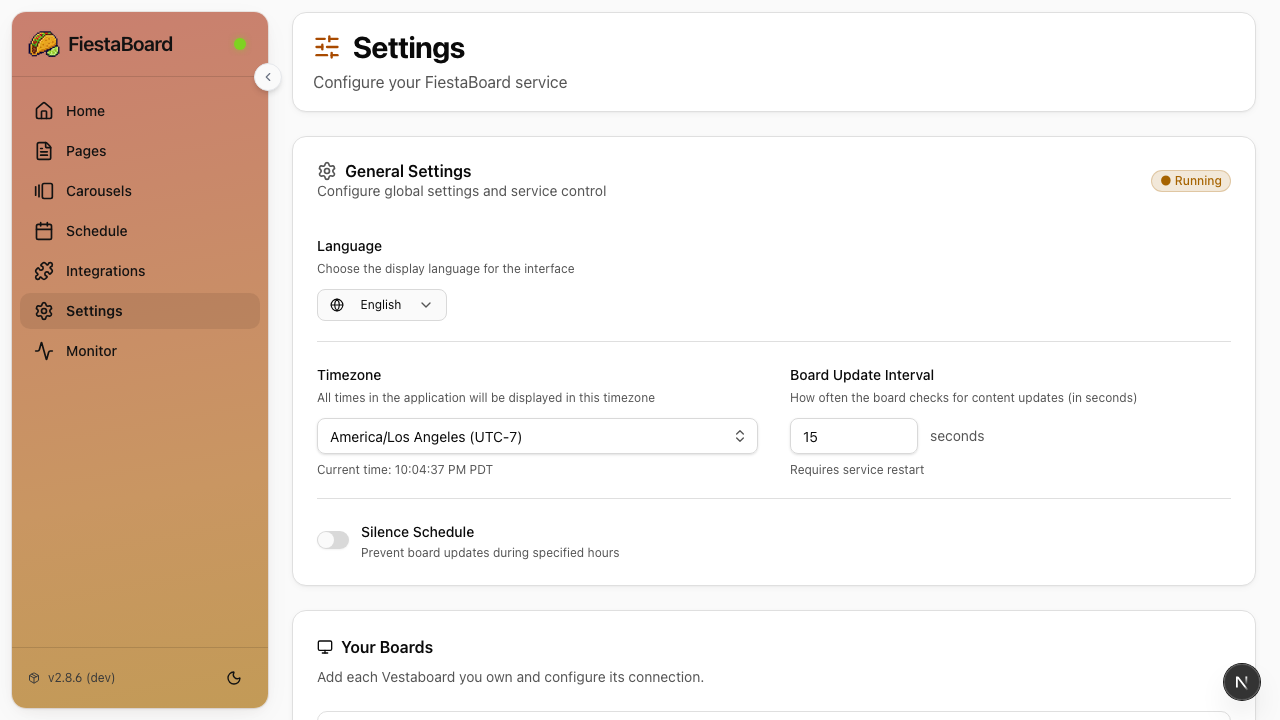
Via the Web UI
- Open the FiestaBoard Web UI at
http://localhost:4420 - Go to Settings
- Find the Silence Schedule section
- Set your Start Time and End Time
- Save your settings
Via Environment Variables
You can also configure silence hours in your .env file:
# Silence Schedule
SILENCE_SCHEDULE_START_TIME=22:00    # 10:00 PM
SILENCE_SCHEDULE_END_TIME=07:00      # 7:00 AM
How It Works
When the current time falls within the silence window, FiestaBoard chooses how to handle the board based on the configured silence mode:
| Mode | Behaviour |
|---|---|
| Show "SNOOZING" message (default) | The board is set to a clean SNOOZING message sized for your device (Flagship or Note). No other content is overlaid. |
| Leave board unchanged | The board is left exactly as it was — no further updates are sent until silence ends. |
| Show a specific page | A page you choose is rendered once when silence begins and frozen on the board. Template variables are not refreshed until silence ends. |
Regardless of which mode you pick:
- The display service stops sending refresh updates while silenced
- The web UI and API continue to function normally
- Scheduled pages are skipped during silence hours
When the silence window ends:
- The display service resumes normal operation
- The currently scheduled (or default) page is sent to the board
The silence schedule uses your configured timezone (TIMEZONE in .env). Make sure this is set correctly for your location.
Example Configurations
Nighttime Quiet Hours
SILENCE_SCHEDULE_START_TIME=22:00    # Board goes quiet at 10 PM
SILENCE_SCHEDULE_END_TIME=07:00      # Board resumes at 7 AM
Office Hours Only
SILENCE_SCHEDULE_START_TIME=18:00    # Quiet after 6 PM
SILENCE_SCHEDULE_END_TIME=08:00      # Resume at 8 AM
Next Steps
- Schedule Mode - Set up time-based page rotation
- Environment Variables - All configuration options