Date & Time
Display the current date and time in a variety of configurable formats. No API key required.
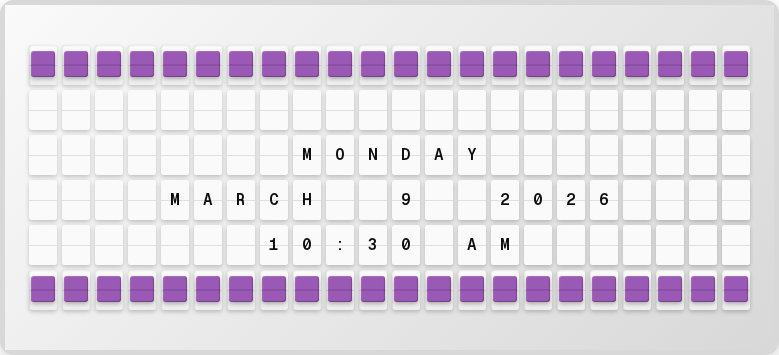
Overview
The Date & Time plugin provides:
- 12-hour and 24-hour time formats
- US and international date formats
- Day of week, month, year components
- Timezone support (any IANA timezone)
Setup
- Open http://localhost:4420
- Go to the Integrations page
- Toggle Date & Time on
- Set your timezone
- Click Save Changes
tip
Date & Time is enabled by default and requires no API key.
Available Variables
| Variable | Description | Example |
|---|---|---|
{date_time.time} | Current time (HH:MM) | 10:30 |
{date_time.time_12h} | 12-hour format | 10:30 AM |
{date_time.time_24h} | 24-hour format | 10:30 |
{date_time.date} | Current date | FEBRUARY 23 2026 |
{date_time.date_us} | US date format | 02/23/2026 |
{date_time.date_us_short} | Short US date | 2/23/26 |
{date_time.datetime} | Combined date and time | FEB 23 10:30 AM |
{date_time.day_of_week} | Day of week | MONDAY |
{date_time.month} | Month name | FEBRUARY |
{date_time.month_abbr} | Month abbreviation | FEB |
{date_time.day} | Day of month | 23 |
{date_time.year} | Year | 2026 |
{date_time.hour} | Hour (24h) | 10 |
{date_time.minute} | Minute | 30 |
{date_time.timezone_abbr} | Timezone abbreviation | PST |
Next Steps
- Visual Clock Plugin -- Full-screen pixel-art clock
- Plugins Overview -- See all available plugins