Last.fm Now Playing
Display what you're currently listening to via Last.fm scrobbling. Works with Spotify, Apple Music, and any scrobbling source.
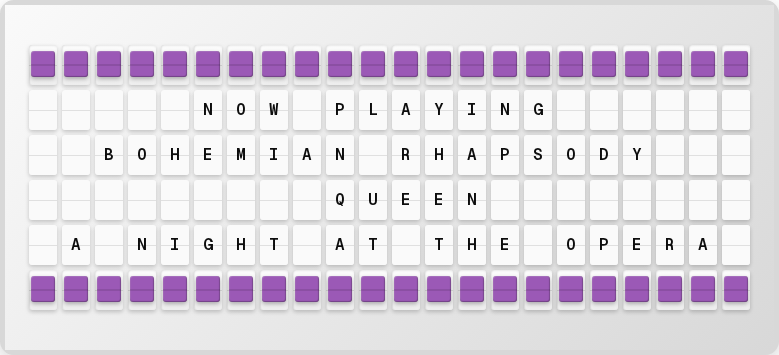
Overview
The Last.fm plugin shows:
- Currently playing track title
- Artist name
- Album name (optional)
- Playing status
Setup
1. Set Up Last.fm Scrobbling
- Create an account at last.fm
- Set up scrobbling from your music app (Spotify, Apple Music, etc.)
2. Get an API Key
- Go to last.fm/api/account/create
- Create an API application (name it anything)
- Copy your API key
3. Enable in the Web UI
- Open http://localhost:4420
- Go to the Integrations page
- Toggle Last.fm on
- Enter your API key and Last.fm username
- Click Save Changes
Available Variables
| Variable | Description | Example |
|---|---|---|
{last_fm.title} | Track title | BOHEMIAN RHAPSODY |
{last_fm.artist} | Artist name | QUEEN |
{last_fm.album} | Album name | A NIGHT AT THE OPERA |
{last_fm.is_playing} | Whether playing | true |
{last_fm.formatted} | Formatted display | BOHEMIAN RHAPSODY - QUEEN |
{last_fm.status} | Status text | NOW PLAYING |
Next Steps
- Page Editor -- Create your music display layout
- Plugins Overview -- See all available plugins