Home Assistant Plugin
Display smart home device states from your Home Assistant instance on your board.
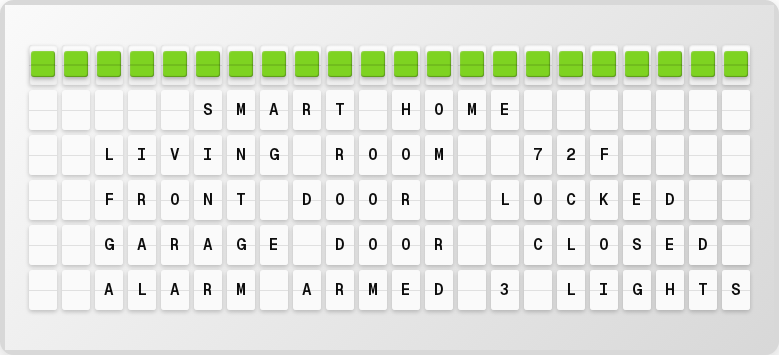
Overview
The Home Assistant plugin connects to your Home Assistant server and displays entity states on your Vestaboard: door sensors, temperature readings, light status, and any other entity your HA instance tracks.
Setup
1. Generate a Long-Lived Access Token
- Open your Home Assistant instance
- Click your profile name in the sidebar
- Scroll to Long-Lived Access Tokens
- Click Create Token
- Give it a name (e.g., "FiestaBoard")
- Copy the token immediately. It won't be shown again
2. Configure in the Web UI
- Open http://localhost:4420
- Go to the Integrations page
- Toggle the Home Assistant plugin on
- Enter your Home Assistant URL (e.g.,
http://192.168.1.100:8123) - Paste your long-lived access token
- Click Save Changes
Available Variables
The Home Assistant plugin provides dynamic variables based on your configured entities:
| Variable | Description | Example |
|---|---|---|
{home_assistant.connected} | Whether HA is connected | true |
Entity Selection
In the plugin settings, you can select which Home Assistant entities to display using the Entity Picker:
- Go to Integrations → Home Assistant
- Use the entity picker to browse and select entities
- Choose from sensors, switches, binary sensors, etc.
Color Coding
The plugin uses colors to indicate state:
| State | Color | Meaning |
|---|---|---|
| Closed / Off / Locked | 🟩 Green | Secure/Normal |
| Open / On / Unlocked | 🟥 Red | Attention needed |
Example Display
┌──────────────────────┐
│   HOME STATUS        │
│  FRONT DOOR   CLOSED │
│  GARAGE       CLOSED │
│  BACK DOOR    OPEN   │
│  TEMP INSIDE    72 F │
│  LIGHTS         ON   │
└──────────────────────┘
Requirements
- Home Assistant instance accessible from FiestaBoard's network
- Long-lived access token with sufficient permissions
- Entities must be accessible via the HA REST API
Troubleshooting
Connection Refused
- Verify the Home Assistant URL is correct and reachable
- Check that HA is running and the API is enabled
- If using Docker, ensure network connectivity between containers
401 Unauthorized
- Regenerate your long-lived access token
- Verify the token is correctly set in
.envor the Web UI
Entities Not Showing
- Check that the entities exist in Home Assistant
- Verify the token has access to those entities
Next Steps
- Plugins Overview - See all available plugins
- Plugin Configuration - General plugin management